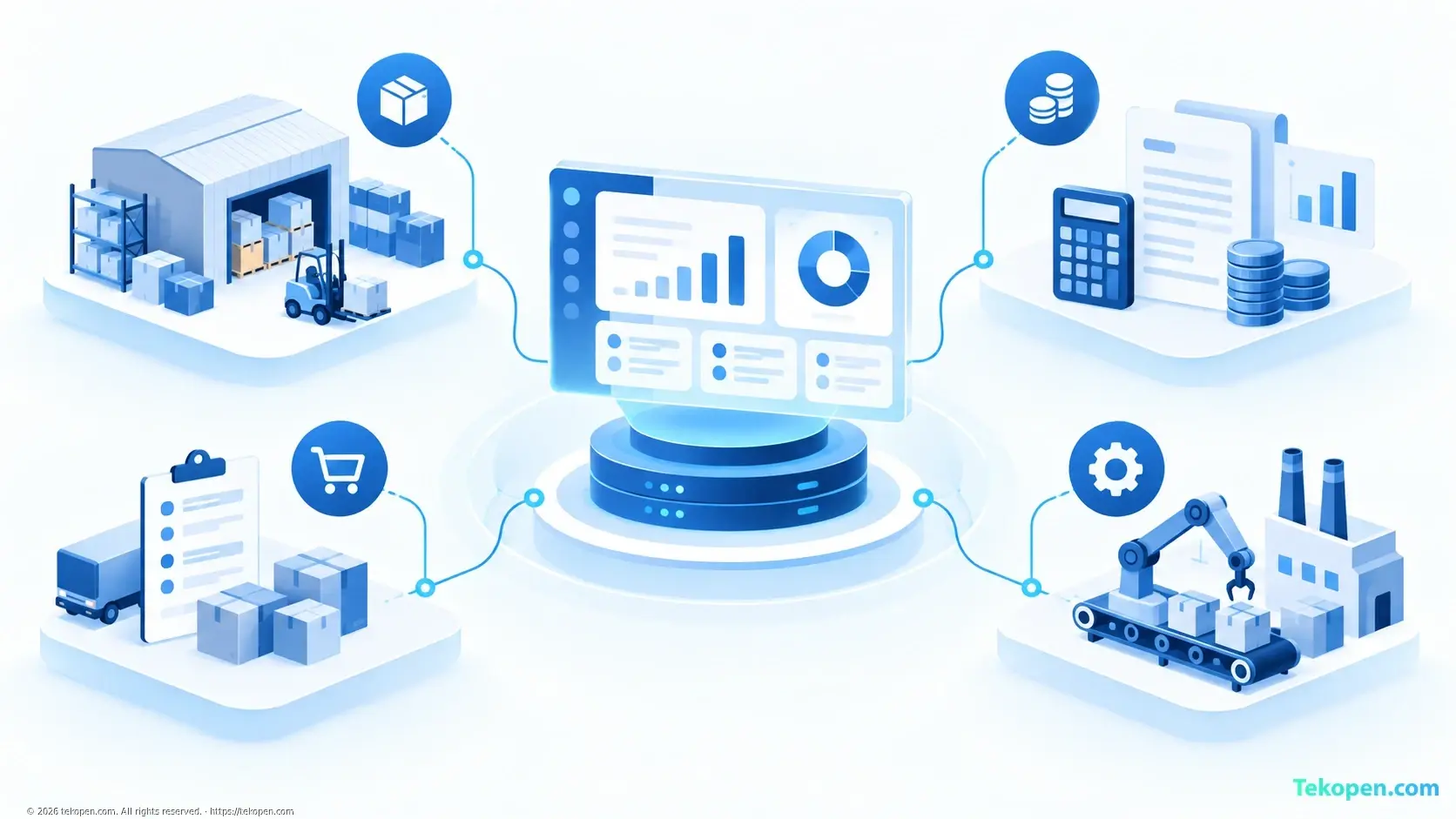
ERP is an enterprise resource planning system, with ERP standing for Enterprise Resource Planning. This system connects activities such as accounting, purchasing, inventory management, sales and production on a shared platform, helping departments coordinate using consistent data.
To implement ERP effectively, businesses should start with the operational problem they need to solve, rather than choosing the software with the most features.
How does ERP work?
ERP consists of modules that serve individual business functions while allowing data sharing and connected workflows.
For example, when an order is confirmed, the information can be sent to the warehouse department to prepare the goods, then used for invoicing and tracking receivables. The level of automation depends on the business's configuration, integrations and processes.
Common modules include:
Finance and accounting: manage income, expenses, receivables, payables and reports.
Purchasing and inventory: track suppliers, incoming and outgoing stock, and inventory levels.
Sales: manage orders and their processing status.
Production: support planning, materials management and progress tracking.
Human resources: manage employee records and certain HR functions, depending on the solution.
Not every business needs all modules from the outset.
How does ERP differ from CRM?
ERP focuses on internal operations and resources. CRM focuses on customer relationships, sales opportunities and customer service.
Criteria | ERP | CRM |
|---|---|---|
Focus | Cross-department operational workflows | Customer relationships and interactions |
Typical data | Inventory, costs, receivables and payables | Contacts, sales opportunities and customer service history |
Suitable needs | Connecting purchasing, inventory and accounting | Tracking customers and sales activities |
The two systems can complement each other. Some ERP systems also include a CRM module. If the main problem is overlooking potential customers, read more about CRM functions and how to choose a CRM for your business before deciding on the scope of your investment.
How to choose and implement ERP
1. Identify bottlenecks and goals
List specific problems: repeated data entry, inventory discrepancies, slow report compilation or difficulty tracking receivables and payables. Choose a verifiable goal, such as reducing the time spent reconciling data between inventory and accounting.
2. Standardize processes and data
Standardize item codes, customer lists, units of measure and approval permissions. Determine who is responsible for updating data. ERP cannot fix incorrect data or unclear processes on its own.
3. Evaluate using real-world scenarios
Ask the vendor to demonstrate one of your business's workflows, such as the process from receiving an order to collecting payment. Check access permissions, integration capabilities, reporting and support for accounting practices used in Vietnam.
Don't look only at software fees. The total cost may also include implementation, data migration, training, customization and maintenance.
4. Pilot before expanding
Start with a small scope and a person in charge in each department. Test with representative data, reconcile the results and train users before going live. At the same time, prepare a response plan in case the system encounters problems.
When should a business use ERP?
ERP is worth considering when multiple departments need to share data but are working with disconnected tools. Conversely, businesses with simple processes may not yet need a large system.
The right choice is a solution that addresses the actual bottleneck, has a manageable scope and is implemented step by step. Technology only delivers value when the data, processes and users are all ready.
Frequently asked questions
Do small businesses need ERP?
Size is not the only criterion. A small business may still need ERP if coordination between inventory, sales and accounting frequently results in discrepancies. If its needs are still simple, specialized software may be easier to manage and more economical.
Can ERP replace accounting software?
An ERP accounting module can serve this role if it fully meets the relevant accounting needs and applicable requirements. Before replacing existing software, check the reports, migrated data and related integrations; don't assume every ERP system is suitable.
Should you choose cloud ERP or an on-premises system?
Cloud ERP generally reduces the work involved in managing on-site infrastructure, while an on-premises system requires dedicated operational resources. Compare connectivity, security, backups, data export and total costs for each specific option.
What data should you prepare before implementing ERP?
Depending on the implementation scope, the data to prepare typically includes product, customer and supplier lists, inventory levels, and receivable and payable balances. Remove duplicate records, standardize identifiers and reconcile data when switching to the new system.